Operations
The shift, from table to cash-out
Tables, bar and cash-outs at the till. If you run tournaments, the TV too.
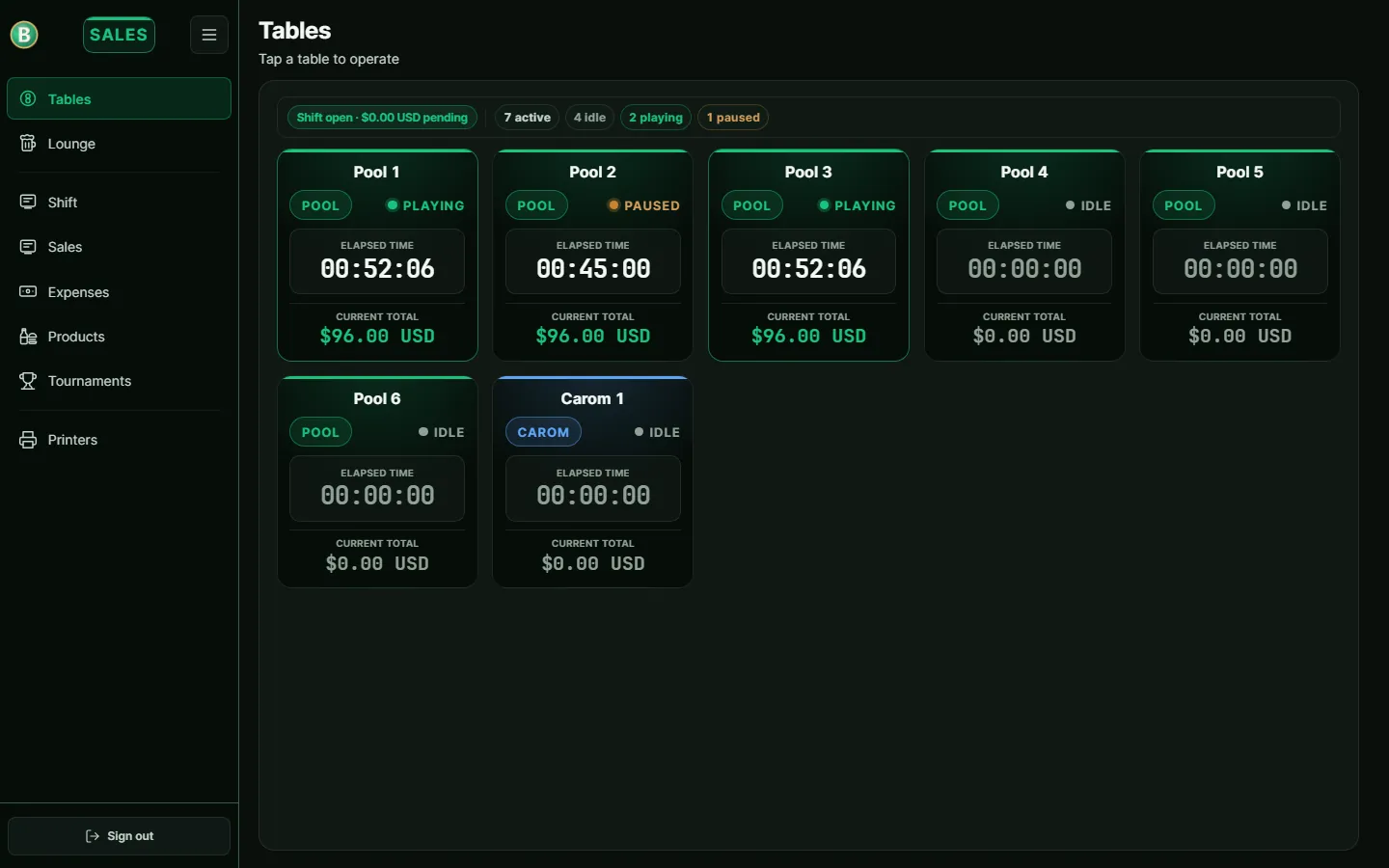
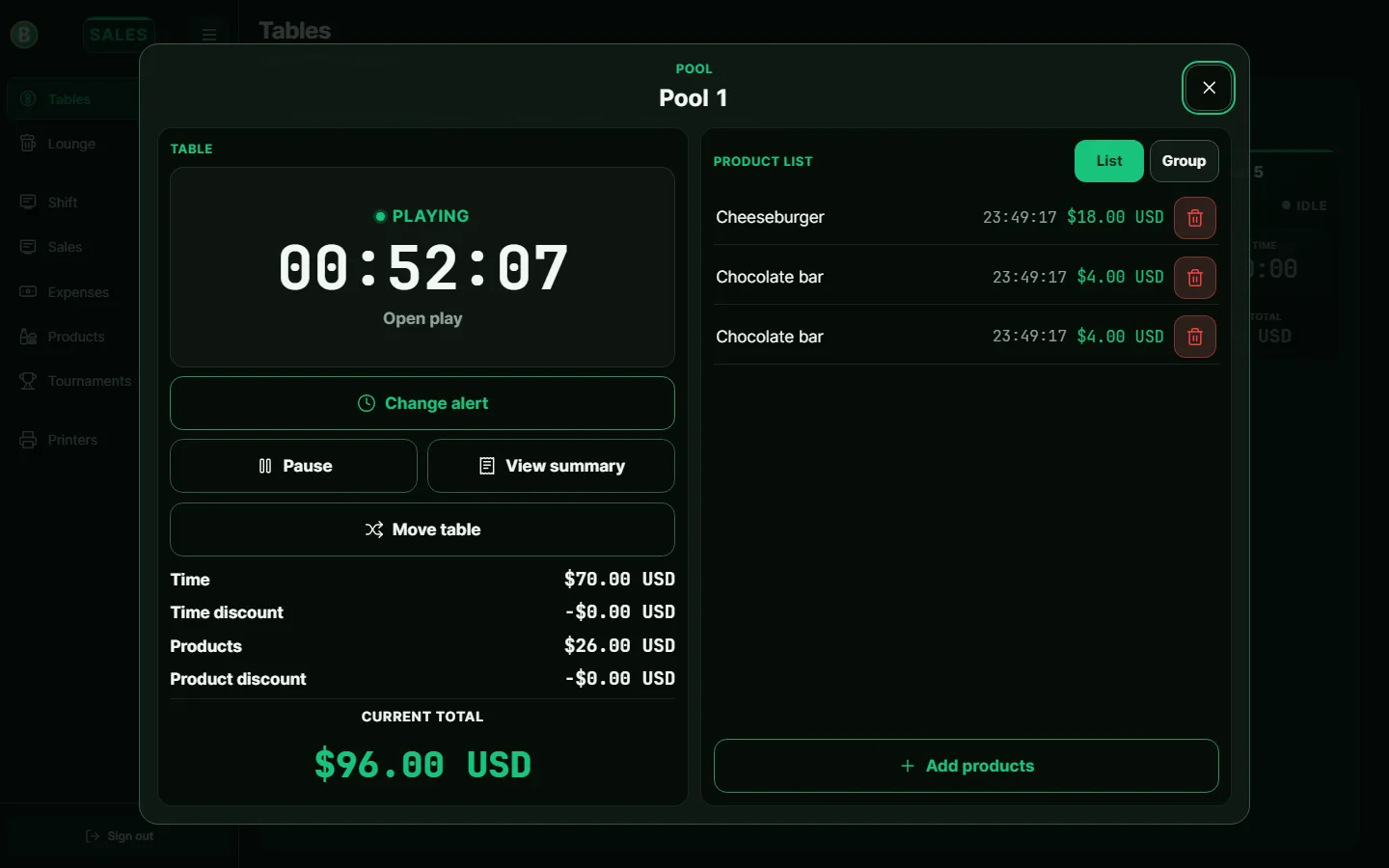
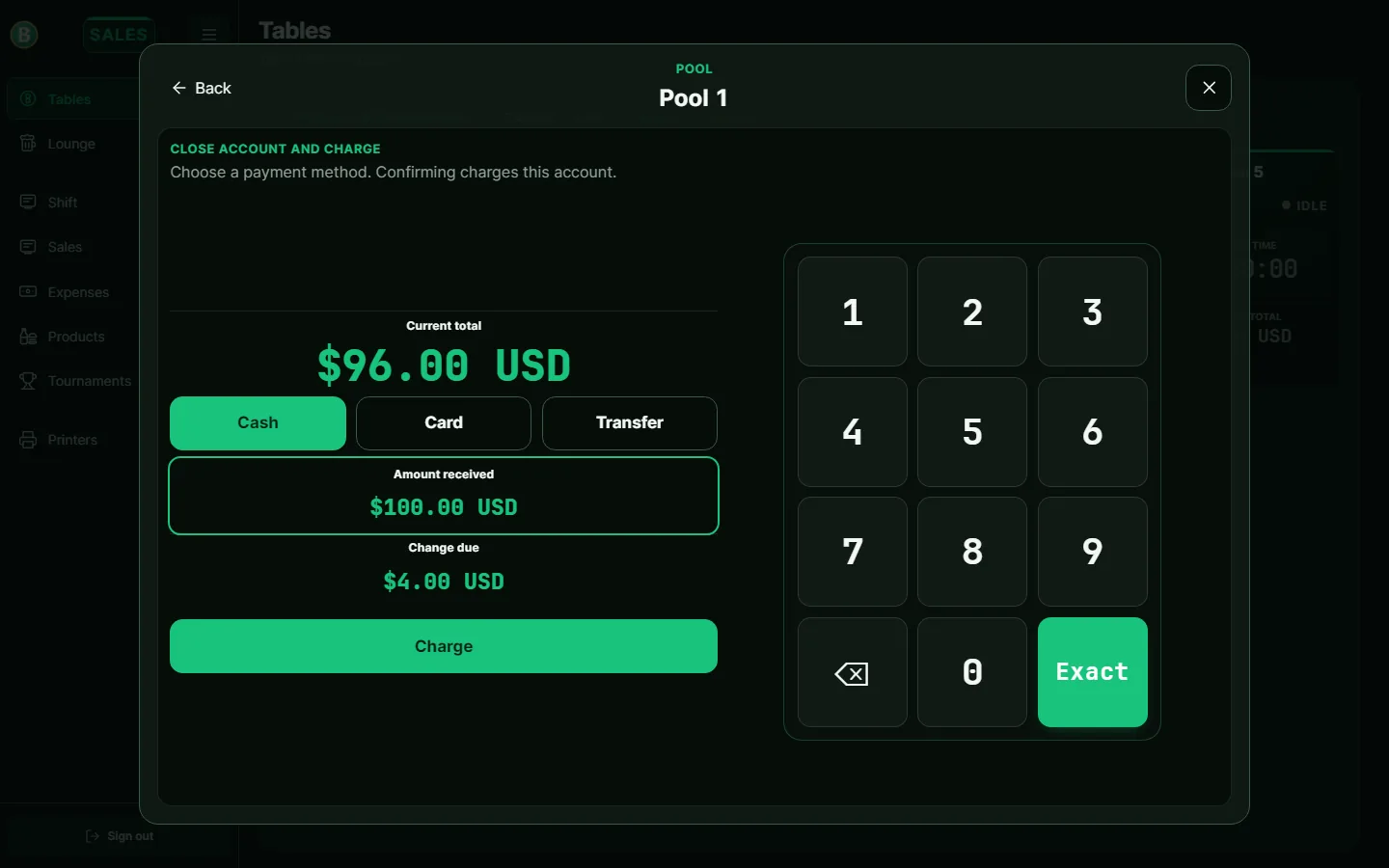
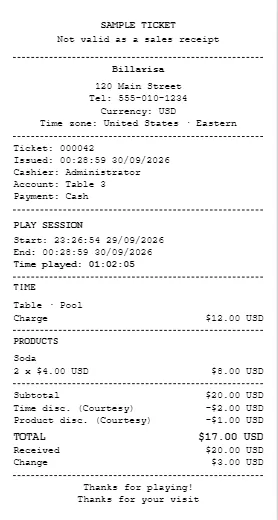
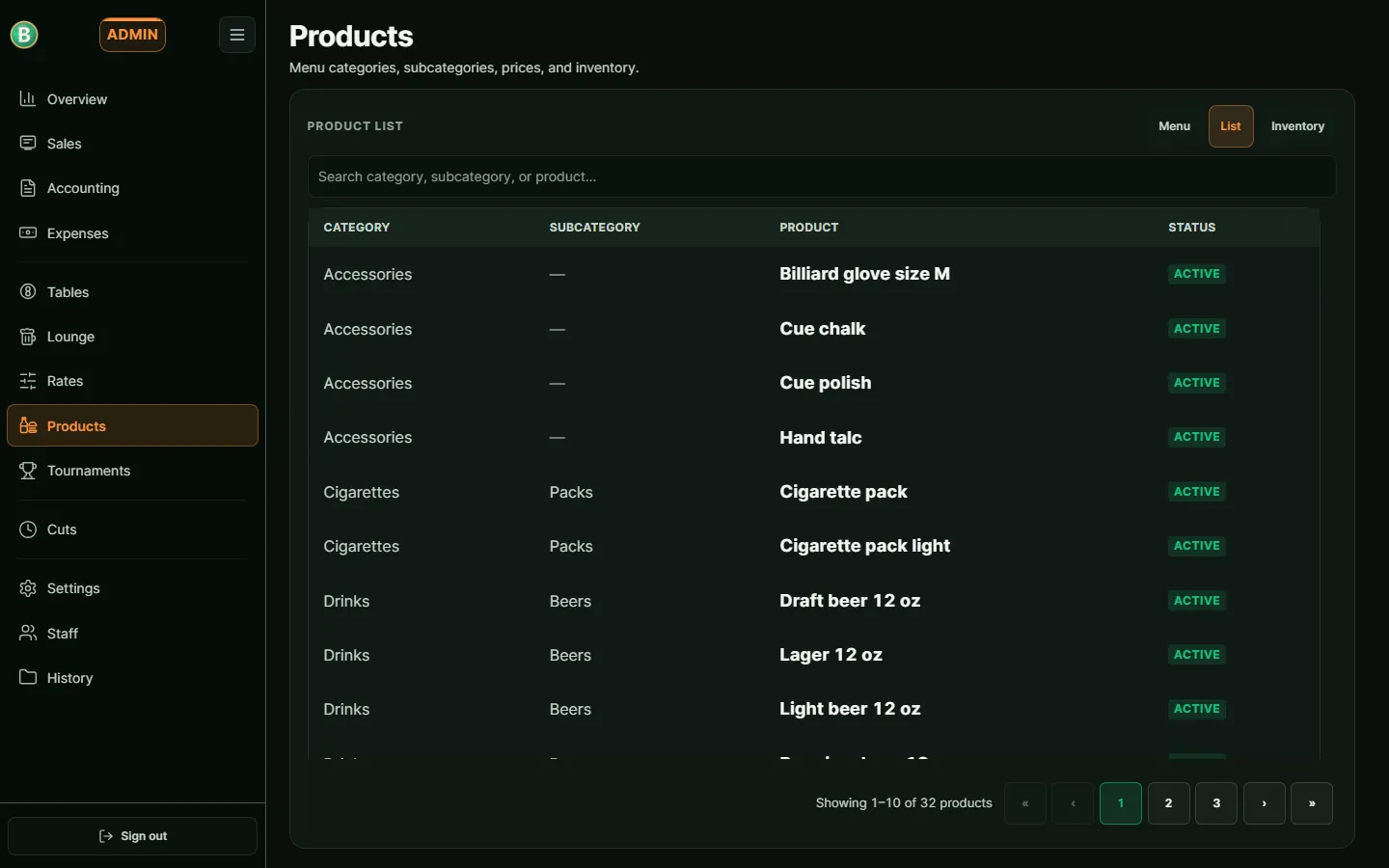
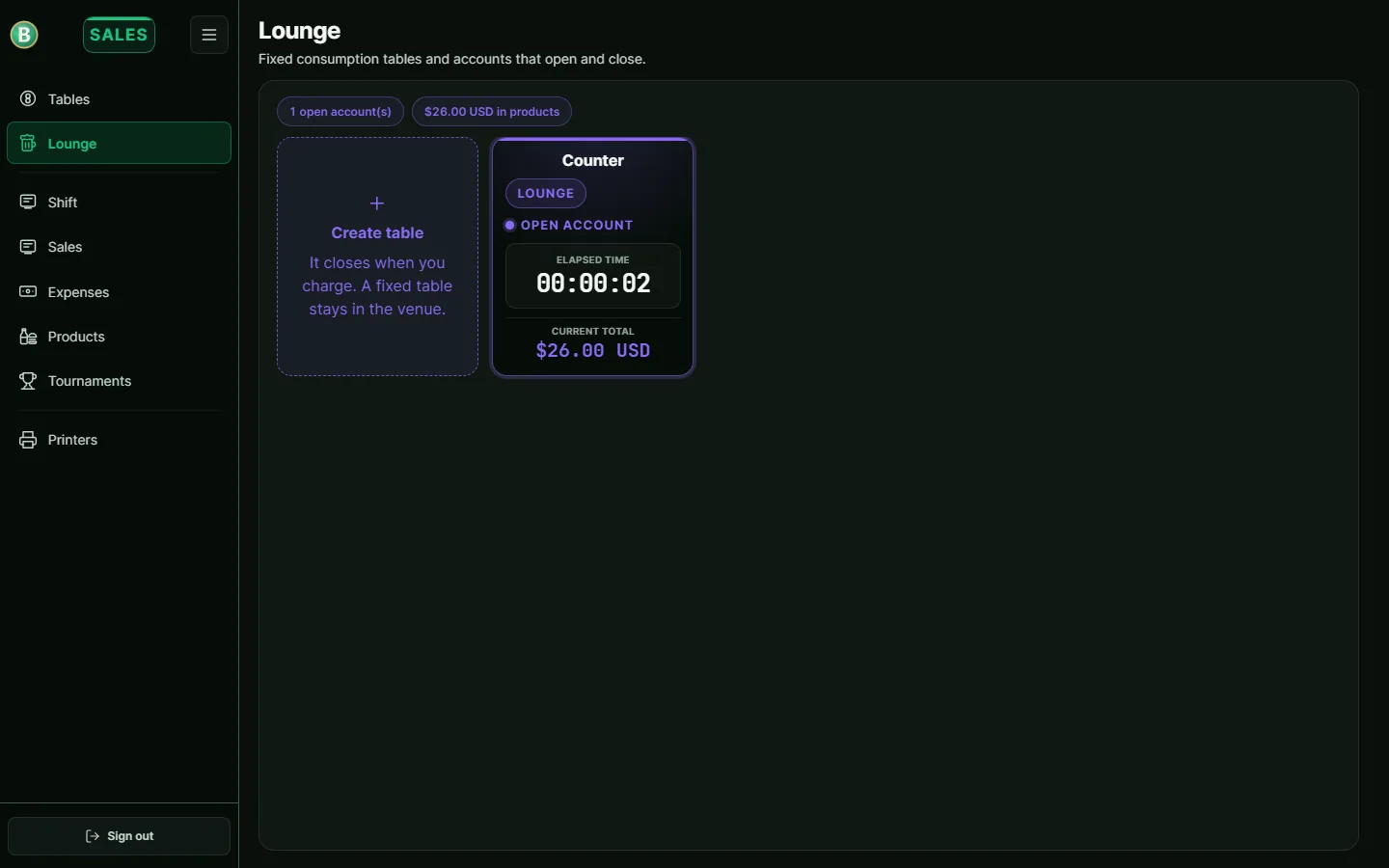
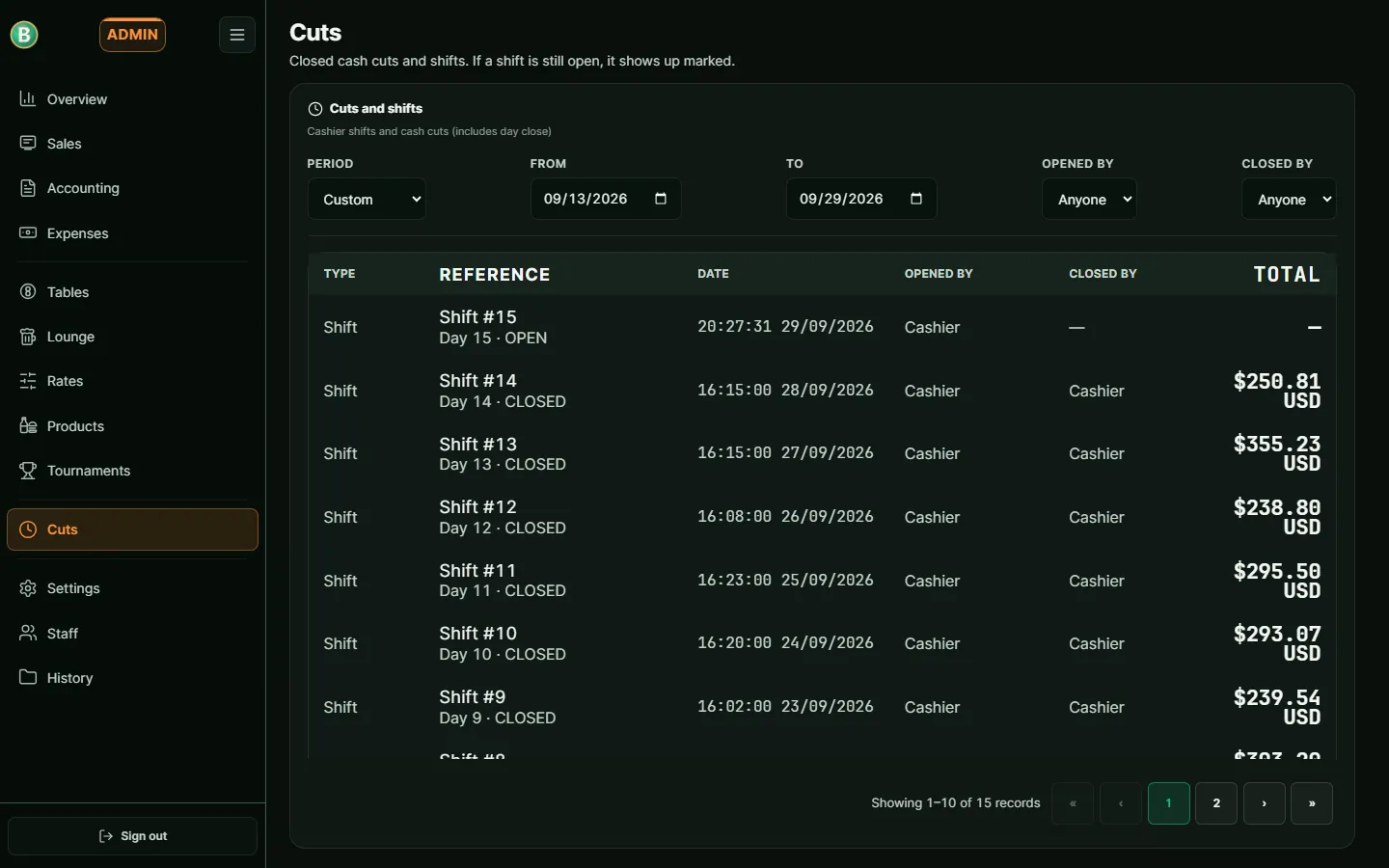
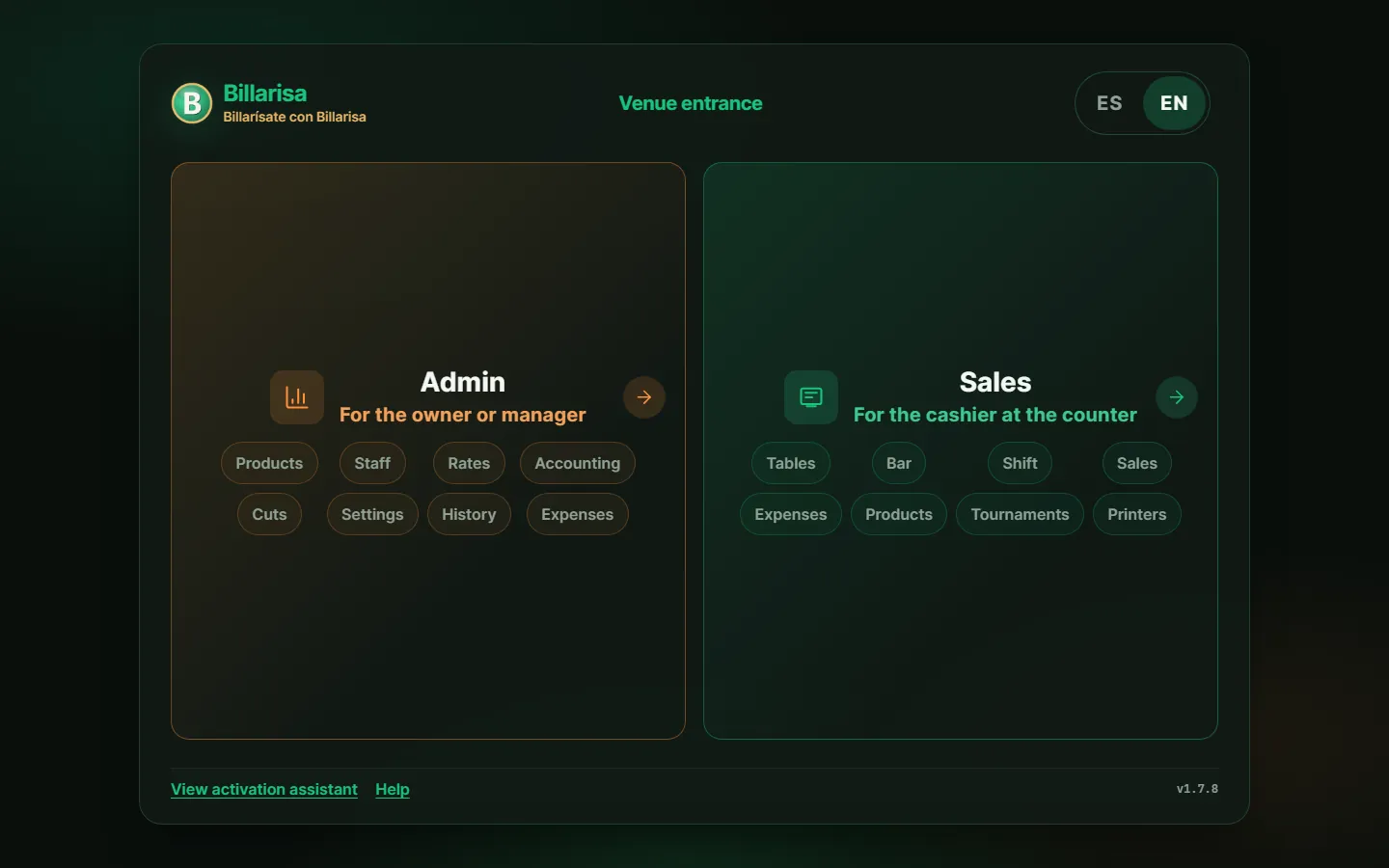
Access · The day starts here: Admin or Sales, according to the shift.
1 of 8Use the arrows or the steps. The walkthrough advances on its own. Hover to pause.
In the license
It also runs tournaments
The Tournaments module is included in Standard and Scale, at no extra charge. Sign-up, bracket and champion on the hall TV.
See it in your hall?
The screens you saw are Billarisa at work. We can show you how it would look with your tables, rates and the way you run the shift.
One-time payment from $549USD
Remote installation included
At the counter
Tables, time and the till on the same shift
Timed tables, bar tabs, metrics, cash-outs and reports, on the same shift.
Tables
- Pool and carom always. Poker, domino, chess and cards if the venue uses them
- Predefined venue tables: open them by name, for example, Terrace 1
- Each type has its own rate: minimum, hour and extra minute
- Pause without losing the charge
- Time and bar items on the same tab
Estimate how much money can go unrecorded in your operation
Adjust tables, minutes, items and the average ticket to build a recovery scenario.
Bar and reception
- Temporary open tab with no table. Time is not charged
- The same catalog as on a table
- Stock drops when you confirm the order, not on the first tap
- An unconfirmed order cannot be charged or printed
Cash-outs
- You open with petty cash. Drawer expenses go into the cash-out
- Shift cash-out with tabs still open: those tabs stay out
- Day cash-out with tables, bar and shifts closed
- Cash, card and transfer, each on its own
Receipts
- 58 mm or 80 mm thermal
- Pre-check before you charge
- Cash-out ticket with a breakdown
- Void only the open shift: it leaves the cash-out, does not reopen the table, and does not put stock back
Metrics and reports
- Metrics to review the venue's operation
- Saved sales and cash-outs to review the history
- Reports exportable to Excel to review the business or share with your accountant
How to choose
What is worth confirming
Questions about the operation. Each answer is what Billarisa does in this version.
- Is the program paid once?
- You buy it once. There is no monthly fee to keep operating.
- Does the shift continue if the connection drops?
- The remote session and support use a connection. After installation and activation, charging the shift does not.
- Do tables, orders and the till stay together?
- Time and what was ordered go on the same tab. The cash-out reviews that shift.
- Where does the history stay?
- On the hall's computer. At the end of the day you can copy a backup, for example to a USB drive.
It fits how you operate
Language, currency and time for your business
Language, currency and time zone are chosen in the program, for your venue.
Mexico
7 time zones · MXN · Billarisa's origin
Latin America and Caribbean
15 zones · 12 currencies
United States
5 zones · USD
Language switcher
- Español
- English
The program reads in Spanish or English. This site's switcher only changes the website, not the program. Names you type stay as you wrote them.
Your till currency
- MXN · USD · COP
- + BOB, ARS, CLP and more
Choose the currency in which you charge. Amounts on screen and tickets keep that format. There is no automatic exchange rate.
13 currencies available in settings
Your venue's time
- Mexico · 7
- LATAM and Caribbean · 15
- U.S. · 5
Cash-outs and tickets use your city's time: Mexico, Latin America, the Caribbean and the United States. License and support stay on Mexico City time.
27 time zones available in settings
Why it exists
Fifteen years on the other side of the counter
It doesn't come from an owner. It comes from someone who doesn't want the hall he plays at shutting down, least of all over the cash-out.
The pattern repeats: the shift handed over with no record, the bar nobody can say how much it sold, the cash-out that doesn't add up. Nobody teaches you how to run a place like that. You learn on the job.
A place where people get together shouldn't close because its books were never clear.
Your data here
History lives on that computer. At the end of the day, copy the backup, for example to a USB drive.
If you have to change machines, the history is not lost: local backup and how to recover it.
Available today for Windows
Use compatible hardware you already have, or buy the equipment that fits your business. Billarisa does not force you to buy proprietary hardware.